

0·
4 days agoWhen it’s the only realistic solution, it becomes the best one.

Tech enthusiast. Dumb and worthless procrastinator.
My laptop is ThinkPad L390y running Arch.
I own RTL-SDRv3 and RSP1 clone.
SDF Unix shell username: user224
When it’s the only realistic solution, it becomes the best one.

I did think that’s where it was heading when I read “aggressively trying to have sex with me”.

Is it? Because there’s also “Nearby devices”.
https://developer.android.com/develop/connectivity/wifi/wifi-permissions
My secondary is on 2.3.6. I think I win.
only protected by an authenticator and nothing else and kept requiring I add a cell phone number to unlock the account
The thing you’re not supposed to use for 2FA?

You put wrong URL into the second one.

limited options to choose
Making that choice is free will.
Yep.
There will just be more and larger communities. Many of them will just be tech-focused, and the discussions will move there.
$9.99/month to use a custom domain.


From video by Vsauce.
I’ve heard someone using syncthing for that, but I haven’t used it. I prefer everything to stay manual.
Pricing is available right on the pricing page: https://tuta.com/pricing
especially password manager
KeePassXC on desktop, KeePassDX on a phone. The KDBX files are encrypted, and unless you store other files inside of there, they are also pretty tiny (<1MB), so you can put it anywhere. Of course, in that case, don’t store cloud login details in that password database.
AOL email address
What’s wrong with AOL mail? It’s been fine for me as a free e-mail provider. Clean webmail interface, app passwords for IMAP and SMTP (Though Thunderbird can also do OAuth2, apparently. It doesn’t work for me.), 1TB of storage. You just have to opt-out of marketing e-mails. They WILL send them. A lot of them. I’d consider it better than Gmail.
At best people will learn something; at worst we’ll get a show.
You’ll just end up with r/anime_titties situation.
I haven’t yet used it that much. I did set up catch-all.
So far I like it. It’s centered around users and routing. You can create as many users as you like, and as many addresses as you like. However, instead of adding aliases, you add addresses to routing.
There is a simple from/to interface with “Any address”, “Any address except valid user addresses (catchall)”, “Any address starting with”, and “The exact address”.
There’s also option of using Sieve scripts, but I have no idea how to use that.
Any address on your domain can be routed to any address. If you however want multiple Purelymail addresses, you’ll have to create a user for each address.
The users really are separate, with their own login credentials, and optionally restrictions on addresses they can send from.
Everything is prorated when it comes to billing, including the yearly payment which is calculated per day. This is withdrawn from credit.
For webmail they use Roundcube, which is OK in my opinion.
Anyway, I think best you can do to figure out if you’d like them is to look at their documentation:
https://purelymail.com/docs/
https://support.purelymail.com/support/solutions
Oh, and they are also building an API: https://news.purelymail.com/api/index.html (currently in preview)
You can also set-up TLS requirements for sending/receiving as well as ignoring DMARC p=reject. Default is TLS 1.2 for both sending and receiving, and conforming to DMARC policies of sender.
Something to note is last year they said they plan to increase prices as $10/year is not sustainable: https://news.purelymail.com/posts/updates/2025-12-18-roadmap-2026.html
I have, mostly. The problem was I trusted the automated cloud backup, thinking Cisco knows what they’re doing when designing their app.
Aegis is taken care of. It automatically creates one file for each update, and keeps them. That gets picked up by rsync.
KeePassXC unfortunately only keeps the last 1 version. Good enough if something screws up while saving, but otherwise kinda sucks.
Anyway, all syncs are manual, and only happen in one direction as I don’t plan to generate passwords on my phone.
In case of corruption, KDBX doesn’t unlock. Though I guess there could still be some silent screw-up during the saving process, so I might have to do version control anyway.
Currently the only place where all (major) past versions live is a CD, because that’s a WORM medium. That one is also least convenient to use. Take a copy of the databases, generate PAR2 files with 500% redundancy and 512B block size (because they’re tiny anyway), generate checksums, load disc, load old session, create dir with current date, put new files there, burn, verify.
I am not really sure how to handle it. Perhaps I should learn git.
Edit 1: Nevermind, I am idiot. The backup format also has a {TIME:<format>} option. I’ll use that from now on. {DB_FILENAME}.old.kdbx is just the default.
Edit 6: Removed unnecessary text.
Caesar cipher
And now everyone knows what to do.
You could do a sort of physical 2FA by requiring 2 pieces of paper from 2 different locations. Either a long password split into 2, which would allow partial weakening with either one, or random OTP and cipher text.








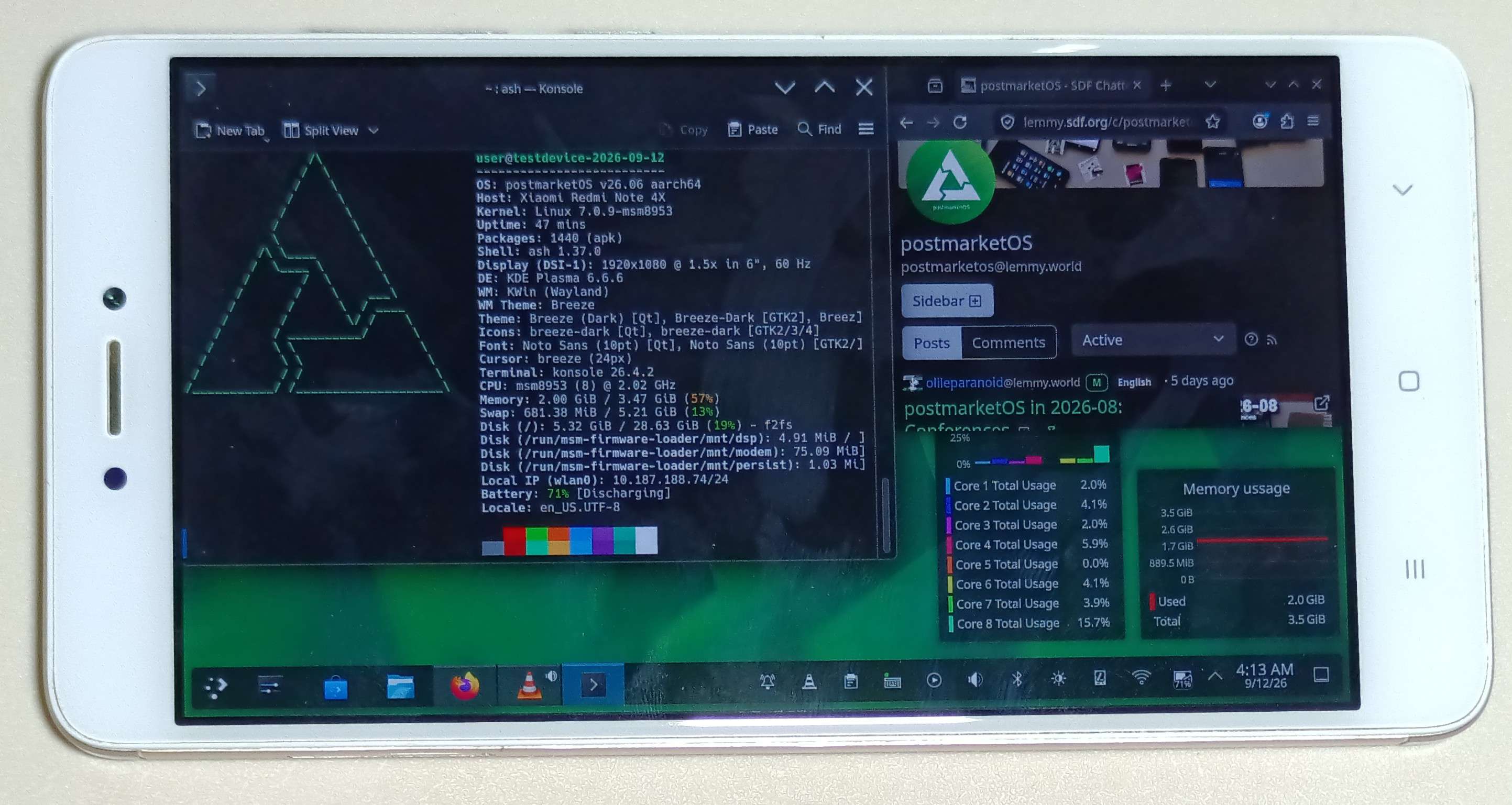

Sort of, but my peak is different.
TL;DR: I don’t care much about performance, but I love unconventional features.
For a laptop, I absolutely want a touchscreen convertible ThinkPad with a built-in stylus (and Linux support, of course).
And new ones are really expensive, seems to be starting at EUR 2k with L13.
For a phone, I’d want something that runs GrapheneOS, so that would also be high in price.
On the other hand, I want a headphone jack, dual SIM (physical) and SD card slot. Excluding less trustworthy Chinese brands, this only leaves me with Moto G06 as the only viable option, priced at less than EUR 120. Ironically, the only phone matching my hardware requirements, regardless of price, is also one of the cheapest ones.
And lastly there’s special devices, something that can only be fulfilled by smaller less trustworthy Chinese manufacturers, such as Ulefone or Unihertz. No one else seems interested in manufacturing phones with truly giant batteries, and features like a built-in projector or physical keyboards.